Anchor Browser

MCP SERVER
FOR
ANCHOR BROWSER

Connect Anchor Browser actions with AI tools like ChatGPT, Claude, and Cursor using the Mushrooms MCP Server.

Get Your Cluster (MCP Server) URL
AI AGENT
AI
AI Agent
What can I help you with?
You
You
I want to use Anchor Browser with my AI agent.
AI
AI Agent · MCP Tool Calling…
Use Anchor Browser
Action in Progress…
ClaudeClaudeChatGPTChatGPTCursorCursorWindsurfWindsurfGeminiGeminiCopilotCopilotContinueContinueClineClineZedZedCodyCodyAmpAmpClaudeClaudeChatGPTChatGPTCursorCursorWindsurfWindsurfGeminiGeminiCopilotCopilotContinueContinueClineClineZedZedCodyCodyAmpAmpClaudeClaudeChatGPTChatGPTCursorCursorWindsurfWindsurfGeminiGeminiCopilotCopilotContinueContinueClineClineZedZedCodyCodyAmpAmp
15 Actions Available

Supported Actions ✓

Add 15 power ups to your AI client for seamless integration

Anchor Browser
Perform Web Task
Launch a secure cloud Chromium session and execute automated browsing instructions.
Anchor Browser
Check Task Generation Status
Retrieve the generation status of a browser automation task.
Anchor Browser
Get Task Run Status
Get the current status and result of a task run.
Anchor Browser
Start Browser Session
Retrieve the current generation status of a browser automation task.
Anchor Browser
End All Browser Sessions
End all browser sessions to stop running automations and free their resources.
Anchor Browser
Create Browser Profile
Create a browser profile with a name and optional description, and link it to a session or a dedicated sticky IP.
Anchor Browser
Move Mouse Pointer
Move the mouse pointer to specified x/y coordinates in an active browser session.
Anchor Browser
Set Clipboard Text
Set the clipboard text for an active browser session.

WHICH AI CLIENT ARE YOU USING?

Pick the AI you want to connect Apps with.

⌕
Loading…

USE CASES YOUR AI CAN EXECUTE.

gmail icon
notion icon

Summarise my unread emails and log the action items to Notion

github icon
slack icon

Summarise what changed in this PR and post it to #engineering

linear icon
slack icon

What's blocking the team this week? Post the summary to #standup

notion icon
gmail icon

Draft emails to everyone in my meeting notes who has a follow-up

hubspot icon
gmail icon

Find deals that haven't been touched in 7 days and draft a follow-up

slack icon
notion icon

Collect all decisions made in #product this week and write them up in Notion

Why teams
use Mushrooms

OPTIMIZED EXECUTION

Less tokens. Faster responses. No bloated context windows.

2,000+ INTEGRATIONS

2,000+ apps. No custom API wrappers. Just plug in.

SECURE CHANNEL

Your data stays within your boundary. Nothing stored, nothing shared.

LOG HISTORY

Every action recorded. Full visibility into what happened and when.

YOU CONTROL THE AI

Granular permissions per action. Nothing runs without your approval.

HOW MUSHROOMS
WORK.

Mushrooms connects your AI to real-world tools and translates intent into controlled actions.

1
2
3
Connect your AI
One MCP URL connects any AI client — Claude, Cursor, Windsurf, ChatGPT — instantly to your stack.
Select tools & actions
Choose from 2,000+ apps and define exactly what your AI can do — granular, per-action permissions.
Execute with control
Every action is scoped, logged, and approved. Your AI runs with intent — nothing happens without your rules.

Start getting work done via Mushrooms

Break free from isolation. Connect your AI to real-world tools for smarter, more impactful results.

Free for Lifetime

Mushrooms is free to use for lifetime under a fair usage policy, without rate limits.

Get your Cluster (MCP Server) URL

For Enterprises

Mushrooms for Enterprises empowers AI models to securely connect to thousands of apps in minutes.

Contact Sales
FROM THE MUSHROOMS BLOG.

EVERYTHING YOU NEED TO KNOW.

What is MCP?+
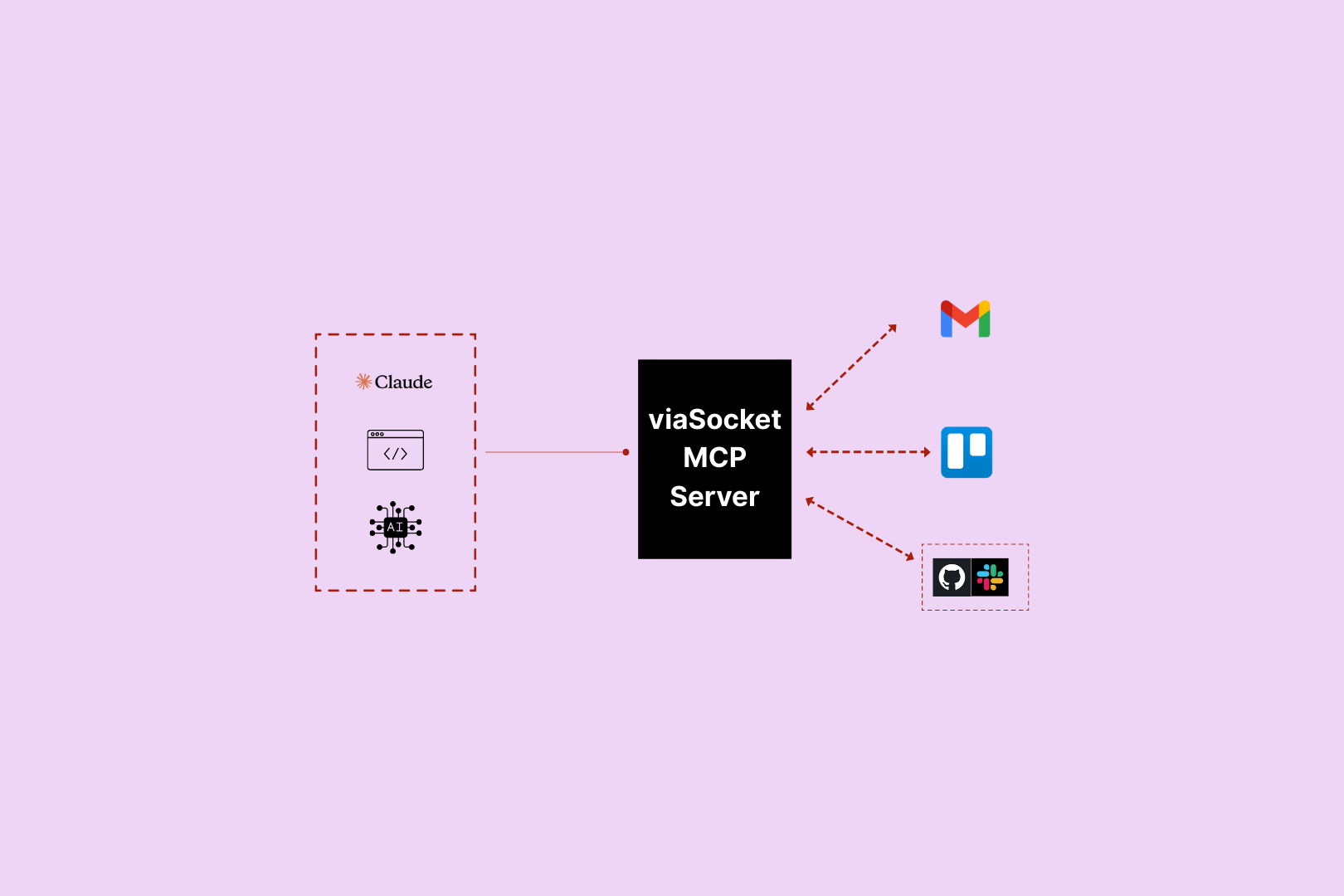
MCP (Model Context Protocol) is an open standard that lets AI models connect to external tools and take real-world actions. In Mushrooms, each Cluster (MCP Server) you create gets its own URL — paste it into your AI client and your AI instantly has access to every Power-Up you've connected.
What is Mushrooms?+
Mushrooms is a power-up layer for your AI. Connect your AI client — Claude, ChatGPT, Cursor — to the apps you use, and your AI gains the ability to actually do things in those apps. Read emails, create tasks, post messages, pull data. Not just talk about it — do it.
Which AI platforms does Mushrooms work with?+
Mushrooms works with any AI client that supports MCP — including Claude, Cursor, and other MCP-compatible clients. More are being added continuously.
Is Mushrooms free?+
Yes — Mushrooms is free to use. Connect your AI client, add Power-Ups, and start giving your AI real-world actions at no cost. Full access, no credit card required. Learn more
Is Mushrooms secure?+
Yes. Every app connection uses OAuth — you authorise exactly what your AI can and can't do, action by action. You stay in full control. Credentials are never stored in plain text and connections can be revoked at any time.
Which apps can I connect?+
2,000+ apps including Slack, Gmail, GitHub, Notion, Linear, HubSpot, Google Calendar, Airtable, Figma, Stripe, Shopify, and more. If it has an API, it's very likely already supported.
MCP Server for Anchor Browser | Mushrooms