TypeScriptTypeScript×ClickSend SMSClickSend SMS

Connect TypeScript to ClickSend SMS

Let TypeScript read data, take actions, and automate workflows in ClickSend SMS — directly from your conversation.

GET YOUR MCP SERVER URL

TypeScript + ClickSend SMS Use Cases

TypeScriptworks best when it reaches across your whole stack — here's what that looks like in practice.

Delete Comment on Post on a LinkedIn post when New SMS Send via ClickSend

clicksend → linkedin

List All Event from Google Calendar when New SMS Send via ClickSend

clicksend → google-calendar

Send SMS via ClickSend SMS when New SMS Send via ClickSend

clicksend → clicksend

Send SMS via ClickSend SMS when New Person Created in Pipedrive

pipedrive → clicksend

Send MMS via ClickSend SMS when New SMS Send via ClickSend

clicksend → clicksend

Add Contact to List in ClickSend SMS when New Customer Created in Square

square → clicksend

From Prompt to Action

Watch TypeScript connect to ClickSend SMS in real time.

🍄 TypeScript · ClickSend SMS

What TypeScript Can Do in ClickSend SMS

Send MMS Campaign
Send an MMS Campaign to up to 20,000 contacts.
Delete Contact
Remove a contact from the selected list by exact name (case-insensitive). Returns whether a match was found and deletion details.
Send Fax
Sends a new fax.
Send SMS Campaign
Send an SMS campaign to up to 20,000 contacts at a time.
View all 21 actions in ClickSend SMS

How to Connect TypeScript

Pick your setup method — both take under two minutes.

1
Sign up for free
Create your Mushrooms account at mushroom.viasocket.com. No credit card needed.
2
Copy your MCP Server URL
From your dashboard, copy your cluster URL.
https://mcp.viasocket.com/mcp/YOUR_MCP_ID
3
Paste into TypeScript
Open TypeScript settings, navigate to the MCP Servers section, and paste your URL.

Start getting work done via Mushrooms

Break free from isolation. Connect your AI to real-world tools for smarter, more impactful results.

Free for Lifetime

Mushrooms is free to use for lifetime under a fair usage policy, without rate limits.

Get your Cluster (MCP Server) URL

For Enterprises

Mushrooms for Enterprises empowers AI models to securely connect to thousands of apps in minutes.

Contact Sales

FROM THE MUSHROOMS BLOG.

EVERYTHING YOU NEED TO KNOW.

What is MCP?+
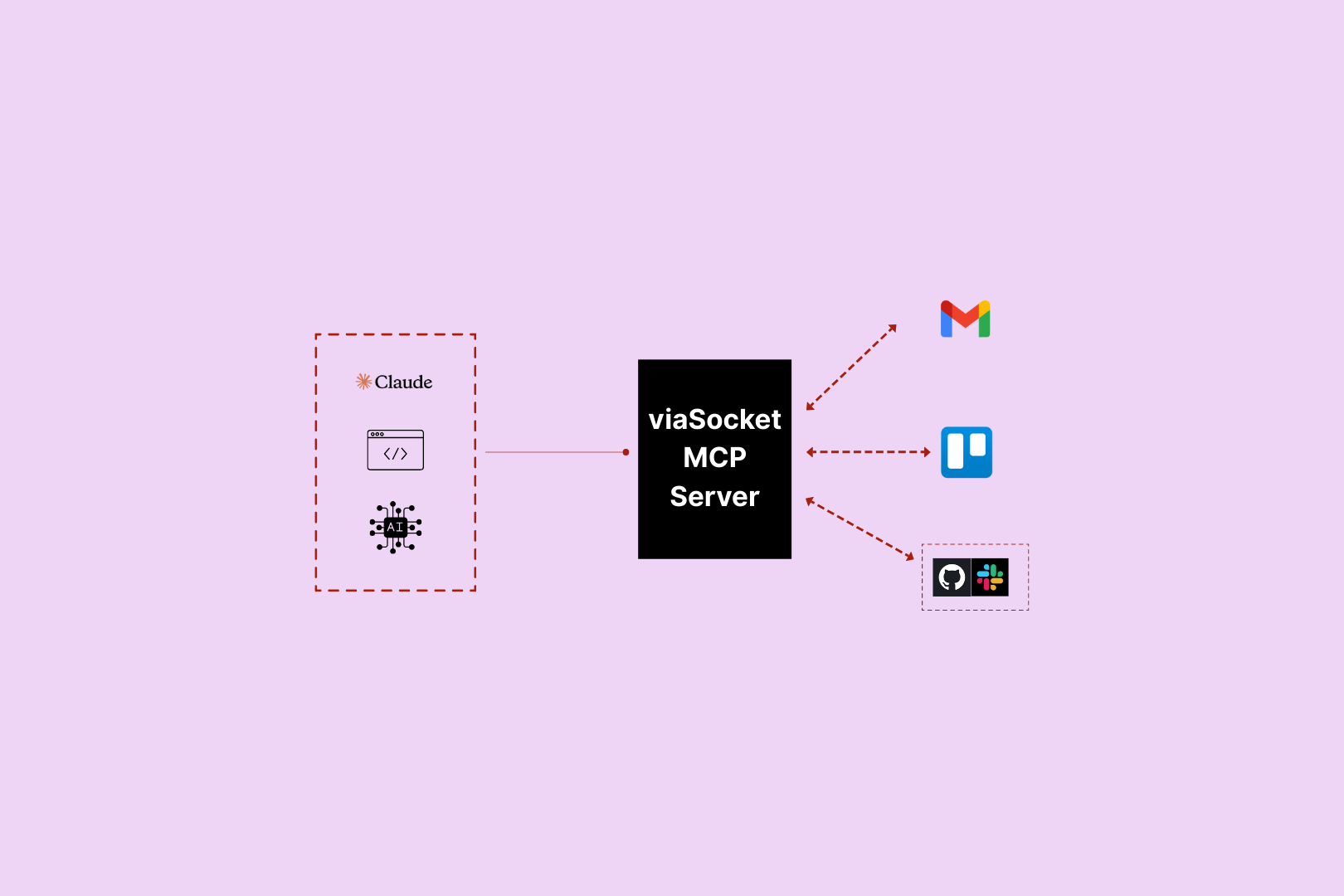
MCP (Model Context Protocol) is an open standard that lets AI models connect to external tools and take real-world actions. In Mushrooms, each Cluster (MCP Server) you create gets its own URL — paste it into your AI client and your AI instantly has access to every Power-Up you've connected.
What is Mushrooms?+
Mushrooms is a power-up layer for your AI. Connect your AI client — Claude, ChatGPT, Cursor — to the apps you use, and your AI gains the ability to actually do things in those apps. Read emails, create tasks, post messages, pull data. Not just talk about it — do it.
Which AI platforms does Mushrooms work with?+
Mushrooms works with any AI client that supports MCP — including Claude, Cursor, and other MCP-compatible clients. More are being added continuously.
Is Mushrooms free?+
Yes — Mushrooms is free to use. Connect your AI client, add Power-Ups, and start giving your AI real-world actions at no cost. Full access, no credit card required. Learn more
Is Mushrooms secure?+
Yes. Every app connection uses OAuth — you authorise exactly what your AI can and can't do, action by action. You stay in full control. Credentials are never stored in plain text and connections can be revoked at any time.
Which apps can I connect?+
2,000+ apps including Slack, Gmail, GitHub, Notion, Linear, HubSpot, Google Calendar, Airtable, Figma, Stripe, Shopify, and more. If it has an API, it's very likely already supported.

About TypeScript + ClickSend SMS

TypeScriptTypeScript

TypeScript is an AI assistant that can take real actions across your apps via Mushrooms MCP — no code required.

Learn more about TypeScript
ClickSend SMSClickSend SMS

ClickSend is a cloud-based service that lets you send and receive SMS, Email, Voice, Fax and Letters worldwide.

Learn more about ClickSend SMS